


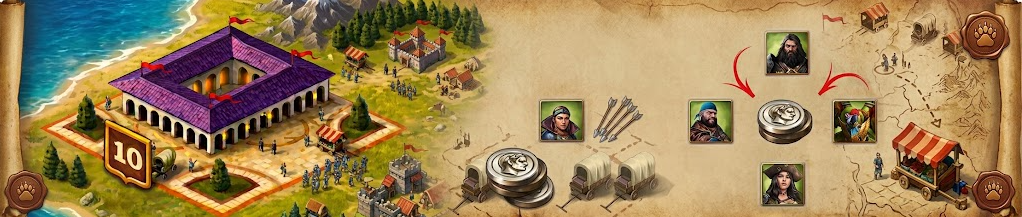
The Mercenary Exchange (Trade Routes) event is one of the most competitive events in Total Battle. It allows you to spend Silver to recruit temporary mercenary troops (lasting 7 days) to drastically boost your army's strength.
1. Basic Requirements
-
Caravan Building: You must have the Caravan building constructed in your city.
-
Foreign Kingdom Location: Trades can only be made in foreign kingdoms (you cannot purchase inside your home kingdom).
-
Sufficient Silver: Keep large reserves ready; clearing a full batch of offers requires a substantial amount of Silver.
2. Travel Time to Exchanges
There are several ways to reduce your travel time to Exchange locations:
-
March Speed Bonuses: Any army-related march speed buff (including monsters and siege engines) will improve your travel time. The more bonuses you stack, the faster you go. For example, allocating Talent Points or researching technology for Guards' march speed reduces travel time; stacking this with Monster speed buffs makes you even faster. The same applies to Specialists, Siege Engines, and Talent Points for Mounted, Ranged, Melee, and Flying units under Expert Battle Tactics.
-
General Buffs: Personal march speed bonuses, Clan march speed buffs, and the Royal Palace kingdom bonus directly stack to increase speed.
-
Recommended Captains: Tengel and Stror.
-
Artifact: Thunder Drum.
-
Equipment: Swift Traveler Armor Set.
-
Hero Ayrin: If you assign the hero Ayrin, you can reach any Exchange regardless of distance (bypassing march time limits).
3. Multiple Mercenary Purchases (4-Page Strategy)
During the event, you can complete a maximum of 4 full shop pages. Mastering the shop refresh mechanic is essential to maximizing your troop gains.
-
The 7-Hour Timer Rule: The 7-hour countdown only triggers when you open a Mercenary Exchange shop page for the first time. Once 7 hours elapse, a new 7-hour cycle begins. Therefore, you can buy up to 4 total shop pages by opening the store window at the start of the event and every 7 hours thereafter.
-
Simple Activation: You do not need to send a captain to start the timer—simply clicking and opening the shop interface is enough.
-
Open Shop Trick: If you keep the shop window open when the timer expires, the inventory and 7-hour timer will automatically refresh on your screen. Many players open an Exchange window before going to sleep and leave it open so the timer resets overnight. The page will not disappear while kept open, even if the physical Exchange building has been depleted on the map.
-
Recommended Strategy: Open an Exchange shop as early as possible after the event starts to trigger your countdown. The first few hours are hyper-competitive, so don't stress about competing for global stock early on—you have 7 full hours to complete your purchases. Keep track of your timer and repeat the process as soon as it resets. Proper timing guarantees 4 full purchase pages per event.
Illustrated example:
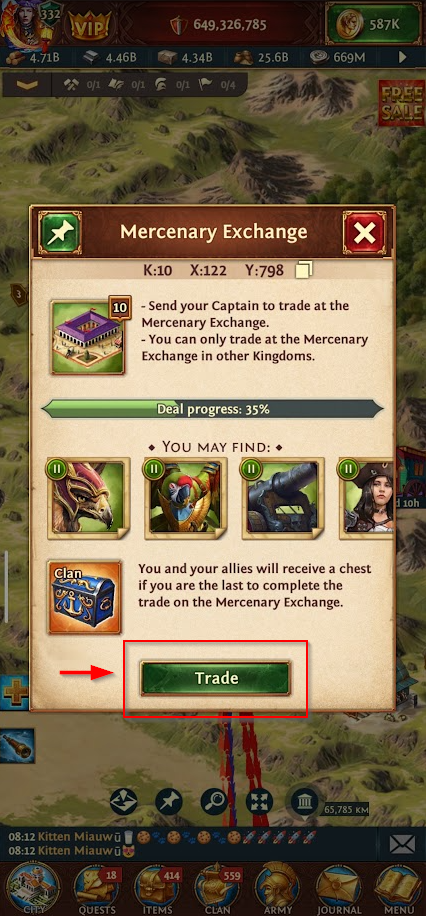
When your countdown is about to end, look for a mercenary trade and press the trade button:
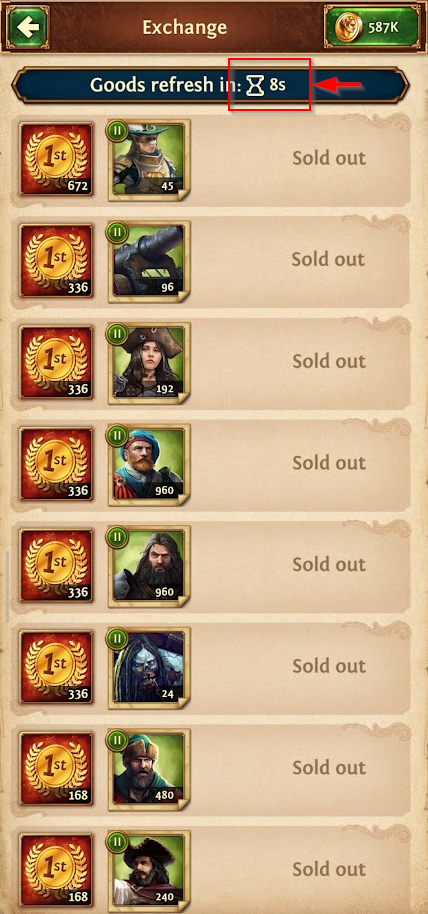
Wait until the counter reaches 0:
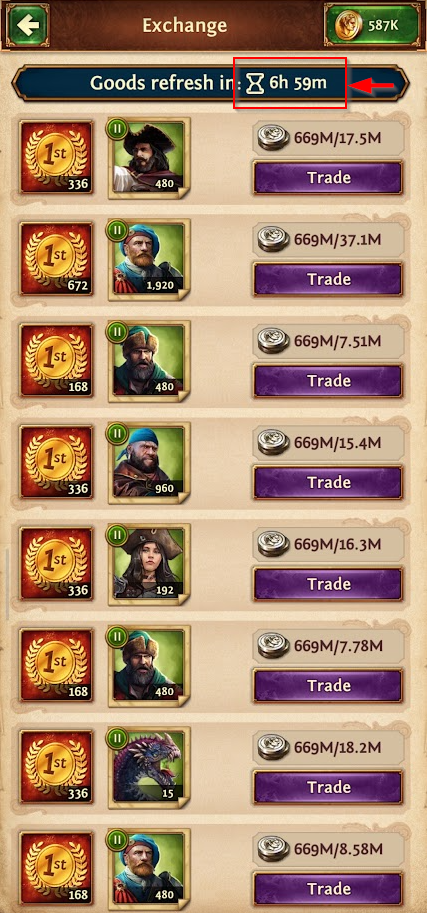
Your 7-hour countdown will begin, even if that mercenary trade has already disappeared. You don't need to make a purchase or start your travel to activate your countdown:
4. How to Find Mercenary Exchanges
-
Community Intel Chats: Finding them independently can be hard, but there are global chats listing coordinates. While these locations get flooded by hundreds of players instantly, they are extremely useful just to open the shop window and trigger/reset your personal timer.
-
Off-Peak Searching: A much better tactic to actually buy stock is waiting for off-peak hours and scanning neighboring kingdoms manually, or monitoring the oceans and following red march arrows to active Exchanges.
-
Clan Coordination: When you locate an active Exchange with available stock, immediately share the coordinates in your Clan Chat!
5. Known Game Bugs & Workarounds
The event experiences several technical glitches:
-
Reversed March on Depleted Building: If you click to purchase a squad and the Exchange depletes in the background while viewing the shop, your captain will begin marching "backwards" from the Exchange location back to your city, often disappearing from your active march list.
-
Workaround: Restart the game. The return march will reappear in your active march list so you can manage or speed it up.
-
-
Disappearing Squads on Mobile: On mobile devices, if your captain fails to arrive before the building depletes globally, purchased squads may show as unavailable.
-
Workaround: Restart the game to refresh the shop interface and restore squad availability.
-
-
Unity Engine Crashes & Memory Leaks: The game frequently crashes during this event—especially when scanning foreign kingdoms or viewing Exchanges targeted by hundreds of red march lines. This occurs because the Unity engine accumulates graphics/pathfinding data without clearing RAM (garbage collection failure). This affects Mobile, Web, and PC clients regardless of physical RAM size due to Unity's internal limits.
-
Workaround: Proactively restart your game client every 15–20 minutes when scanning or visiting busy Exchanges to clear accumulated RAM memory.
-

Comments (2)
Leave a comment
Comments are moderated before publishing. Max 5 comments per IP every 24 hours.